Reading text
1.2 Understanding the structure and objectives of the training program and the functioning of the online platform through which the program is delivered.
1.2.2 Know how to handle and use the platform training tool (how to subscribe, how to access the courses, how to see a video, how to complete a quiz).
Overview
OPTIMA Training Platform is a dedicated e-learning platform tailored for the aquaculture sector, providing specialized training resources, interactive modules, and up-to-date industry knowledge to support the professional development of workers, students, and stakeholders in the field.
Designed to address the unique challenges and practices of aquaculture, the platform offers courses on topics such as fish health management, sustainable farming techniques, water quality monitoring, and regulatory compliance. With a user-friendly interface and multilingual support, OPTIMA Training ensures accessible and flexible learning opportunities for users across different regions and experience levels.
The course provided on the OPTIMA Training Platform is open and accessible to anyone interested in following it.
Getting Started – Accessing the Platform
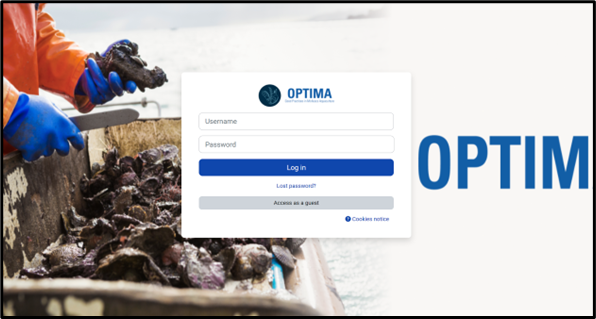
Fig. 2. Log-in home page
To access the platform, please visit https://learn.optima-erasmusproject.eu/ and log in by one of the following ways:
- Using the credentials provided to you by your national contact.
- By self registering and creating your own account.
- Click the Log in
- Click the Create new account button on the login page.
- Enter a unique username, a secure password, and a valid email address and fill in mandatory fields, which typically include first name, surname, country. Pay attention to the restrictions regarding the password (number of characters, use of symbols, capitals, numbers etc)
- Click the Create my new account
- Check your email inbox (including spam) for the confirmation link and click it to activate your account
- Log in with your new credentials and navigate to the homepage to choose the course you wish to join.
Upon successful login, you will have full access to all national versions of the training and a wide range of course materials specifically developed to support your learning journey.
Navigating the Dashboard
The dashboard displays all courses you are enrolled in, recent activity, and navigation menus.
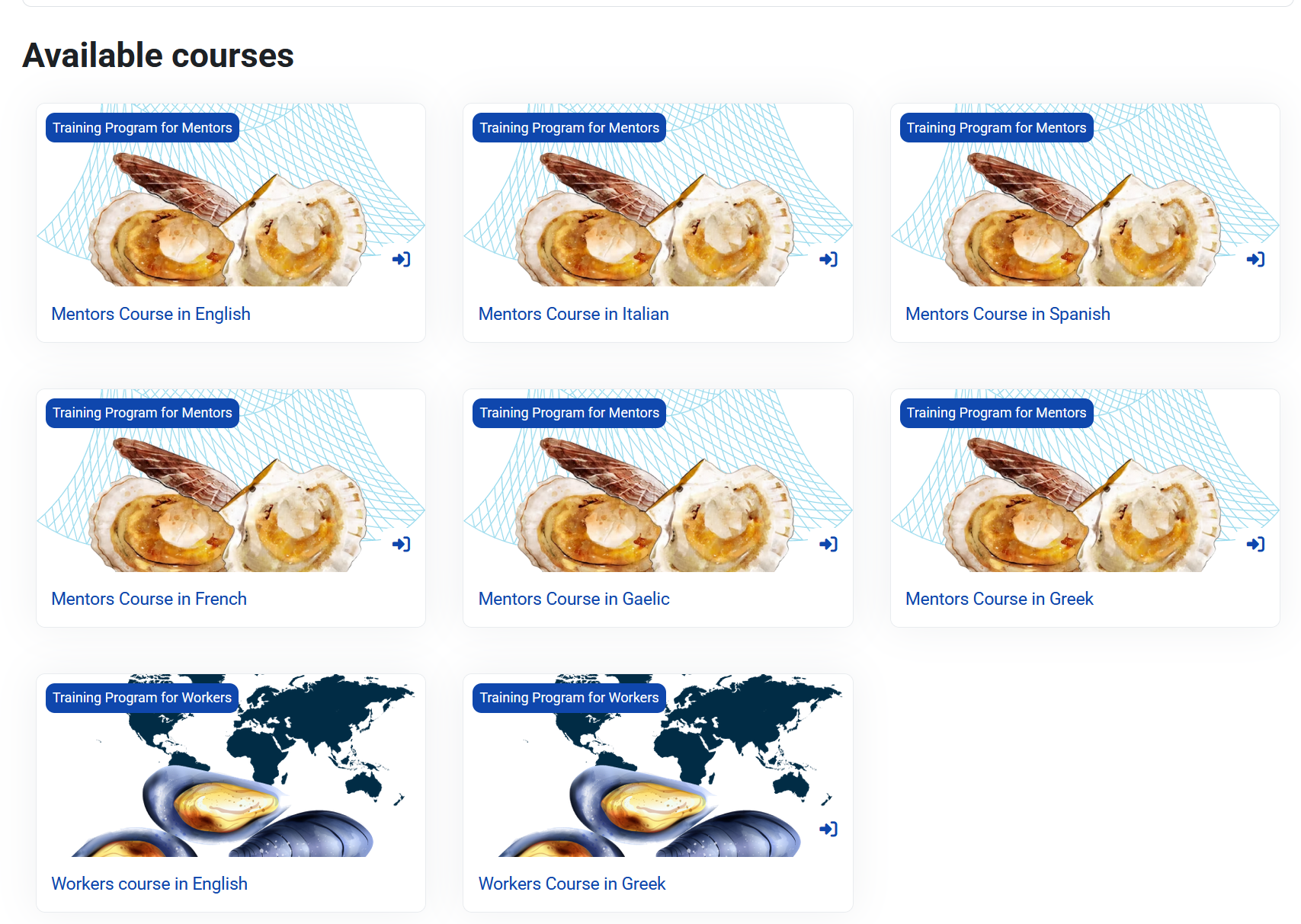
Fig. 3. Choose the available courses.
Course Structure – Course Categories and Modules
In the platform the courses are organised into categories and modules. Each module is preceded by a small description of the topics covered, the objectives and the learning outcomes.
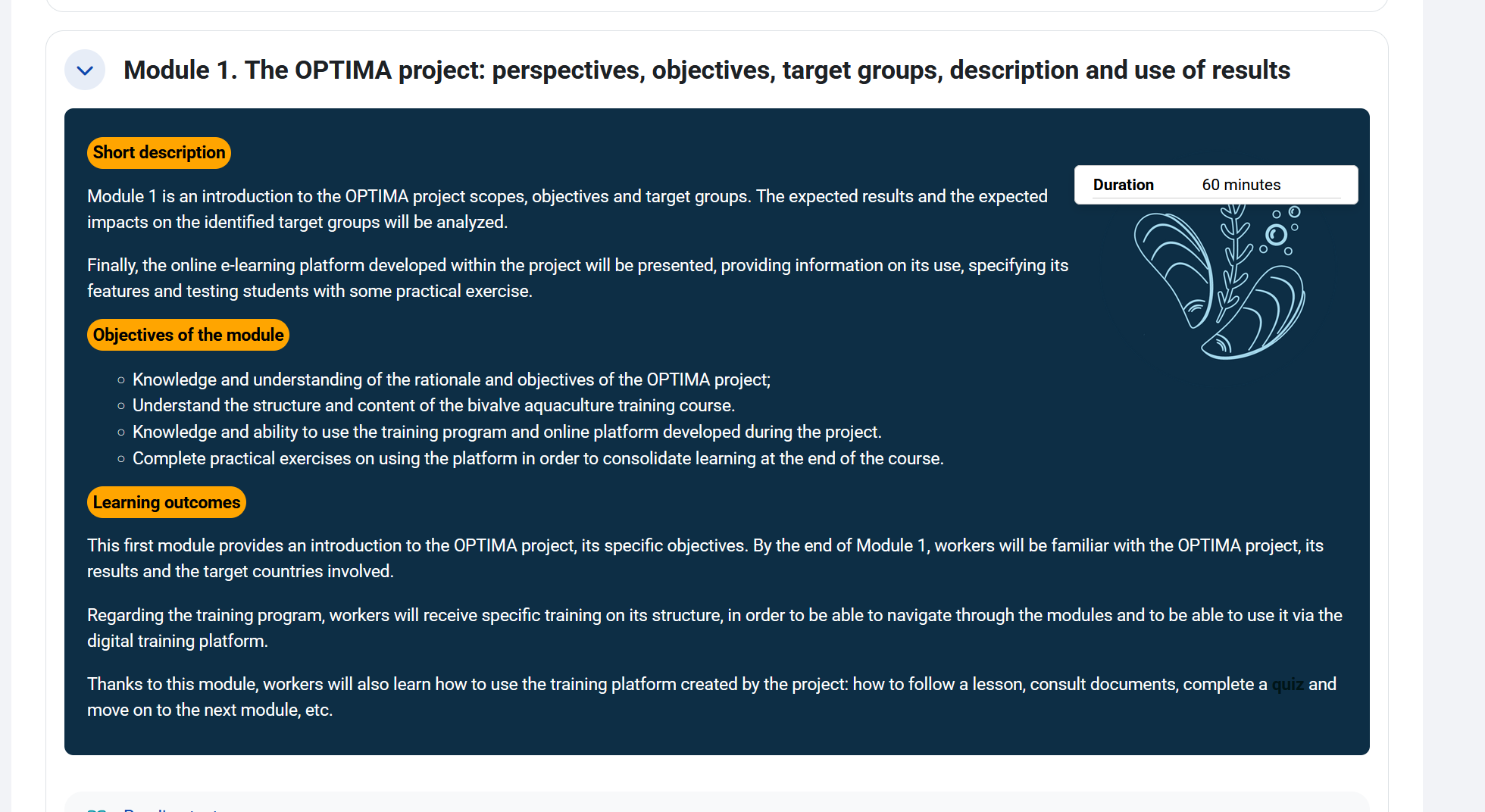
Fig. 4. See the information on the module.
Learners can find all the modules in the menu that appear on the left of the webpage by clicking on the button in the upper part of the webpage (on the left too).
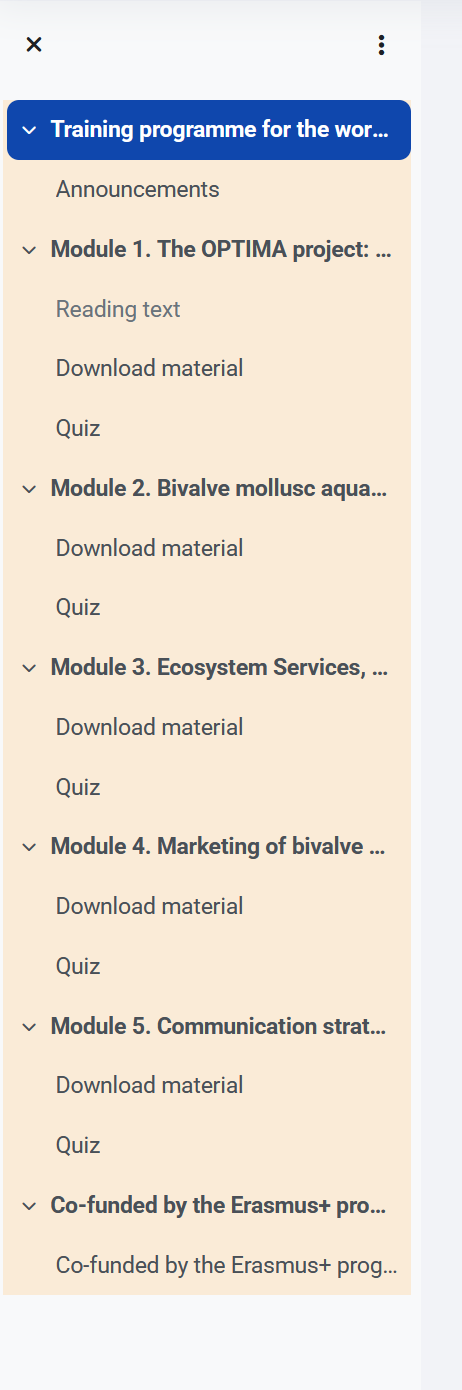
Fig. 5. Start to read the module.
Type of Course Materials
Learners can access resources such as PDFs, videos, links and quizzes.
Support – Technical Help
If you experience any technical difficulties or have questions while using the platform, you can contact the OPTIMA support team for assistance. They can be reached by email at info@learn.optima-erasmusproject.eu. The team will respond as soon as possible to help resolve your issue or provide the necessary information. You may also find helpful information and step by step guides in the detailed Moodle Documentation available at https://docs.moodle.org/500/en/Main_page.