Reading text
1.2 Understanding the structure and objectives of the training program and the functioning of the online platform through which the program is delivered.
1.2.3 Know how to complete quizzes and exercises with the e-learning platforms.
Quizzes are designed to assess student knowledge and understanding. They are useful to provide feedback to facilitate the student’s learning process.
How to start a quiz
Once logged into the platform and once chosen a training course, the training course home page will be opened. This page has a menu on the left in which the quizzes are located in the menu on the left side of the page. Each module has its own quiz.
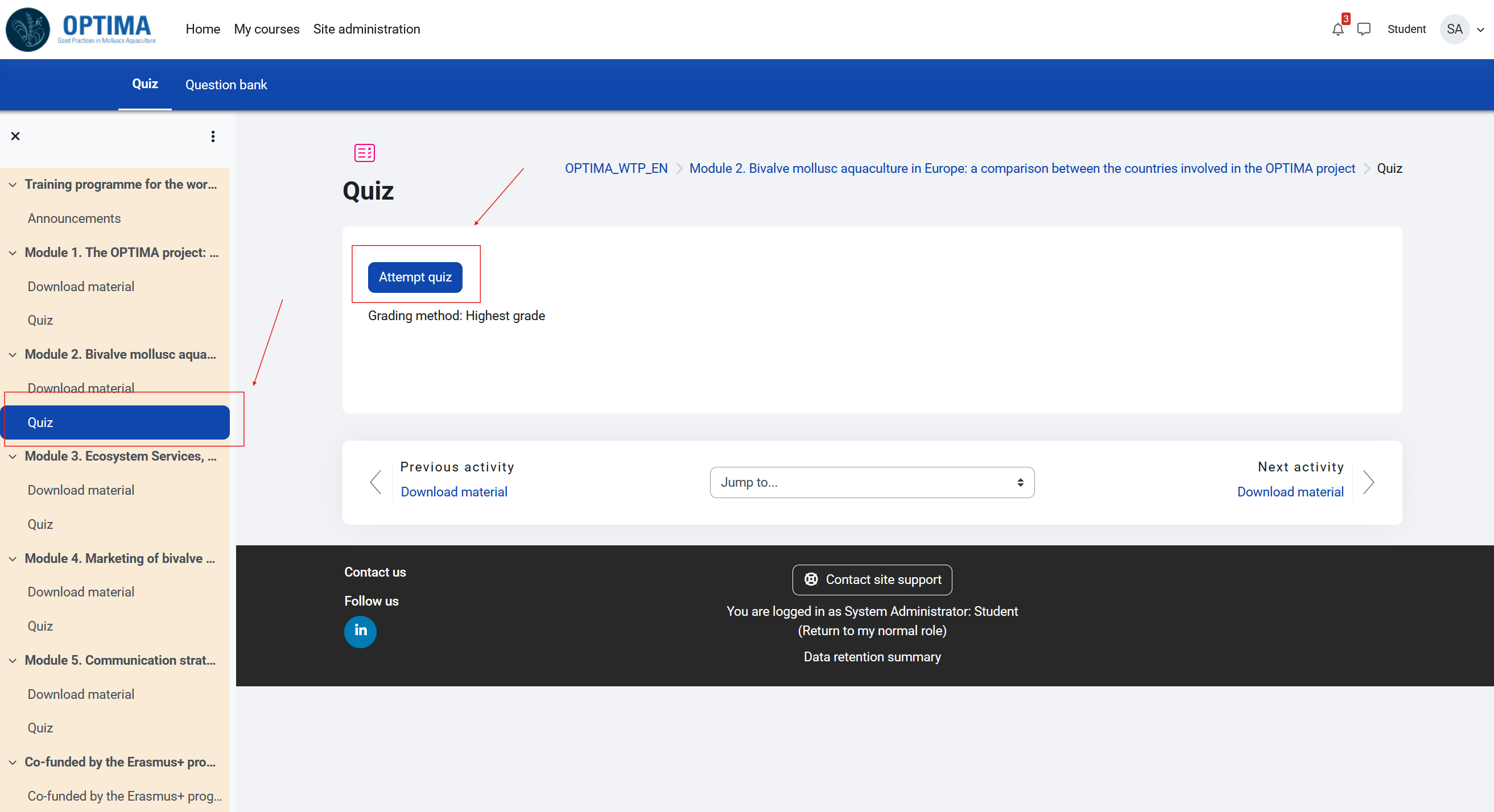
Fig. 6. Find a quiz on the e-platform.
Simply click on "Quiz" in the list of each module. A page will open where you can choose to "start the quiz" by clicking on "attempt quiz."
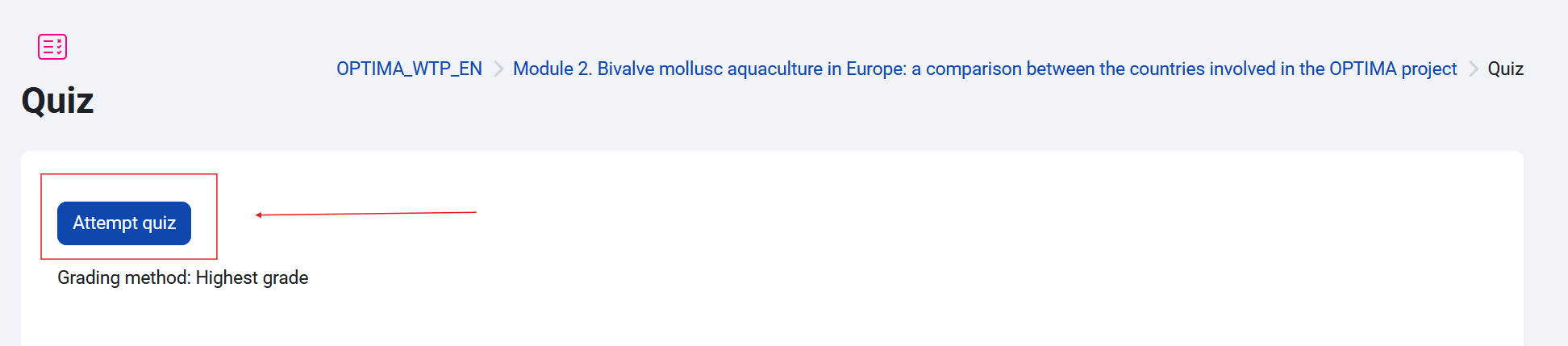
Fig. 7. Start a quiz.
Once you click "attempt quiz," the platform will open the first page with the first question (image below).
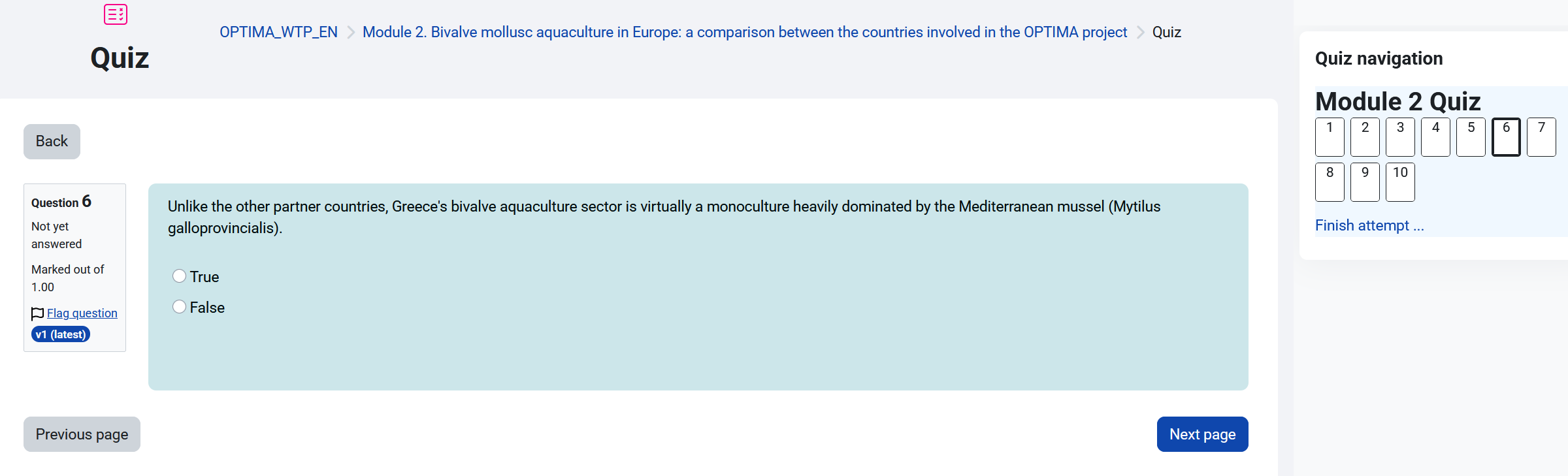
Fig. 8. Start to complete a quiz.
At the end of the test, a grade will be given that will allow the student to pass the module and declare it understood.