Requisitos de finalización
1.4 Being able to deliver the training programs foreseen by the OPTIMA project through the e-learning platform produced by the project
1.4.1 How to handle and use the OPTIMA Training Platform
Overview
OPTIMA Training Platform is a dedicated e-learning platform tailored for the aquaculture sector, providing specialized training resources, interactive modules, and up-to-date industry knowledge to support the professional development of workers, students, and stakeholders in the field.
Designed to address the unique challenges and practices of aquaculture, the platform offers courses on topics such as bivalve molluscs health management, sustainable farming techniques, water quality monitoring, and regulatory compliance. With a user-friendly interface and multilingual support, OPTIMA Training ensures accessible and flexible learning opportunities for users across different regions and experience levels.
The course provided on the OPTIMA Training Platform is fully prepared and ready for use, requiring no additional setup or configuration from instructors or mentors.
Mentors can begin delivering the content immediately, with their main role being to monitor learner progress and provide guidance where needed. The main focus of this section is thus to serve as a practical reference for those who may wish to adjust the training materials, such as updating course content, modifying quizzes, or adding supplementary resources.
While the course functions effectively in its current form, after the end of this section the instructors and mentors will have the necessary tools and instructions to adapt and enrich the material, should they choose to tailor it to their specific audience or training context, thus ensuring the sustainability of the course.
Getting Started – Accessing the Platform
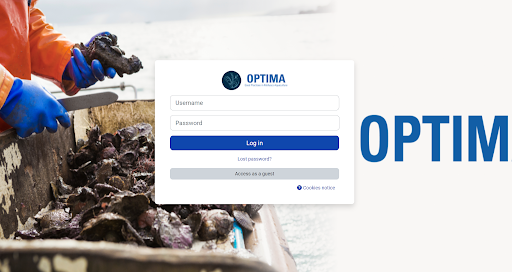
To access the platform, please visit https://learn.optima-erasmusproject.eu/ and log in using the credentials provided to you by your national contact. Upon successful login, you will have full access to a wide range of resources, tools, and course materials specifically developed to support your teaching activities and professional development.
Navigating the Dashboard
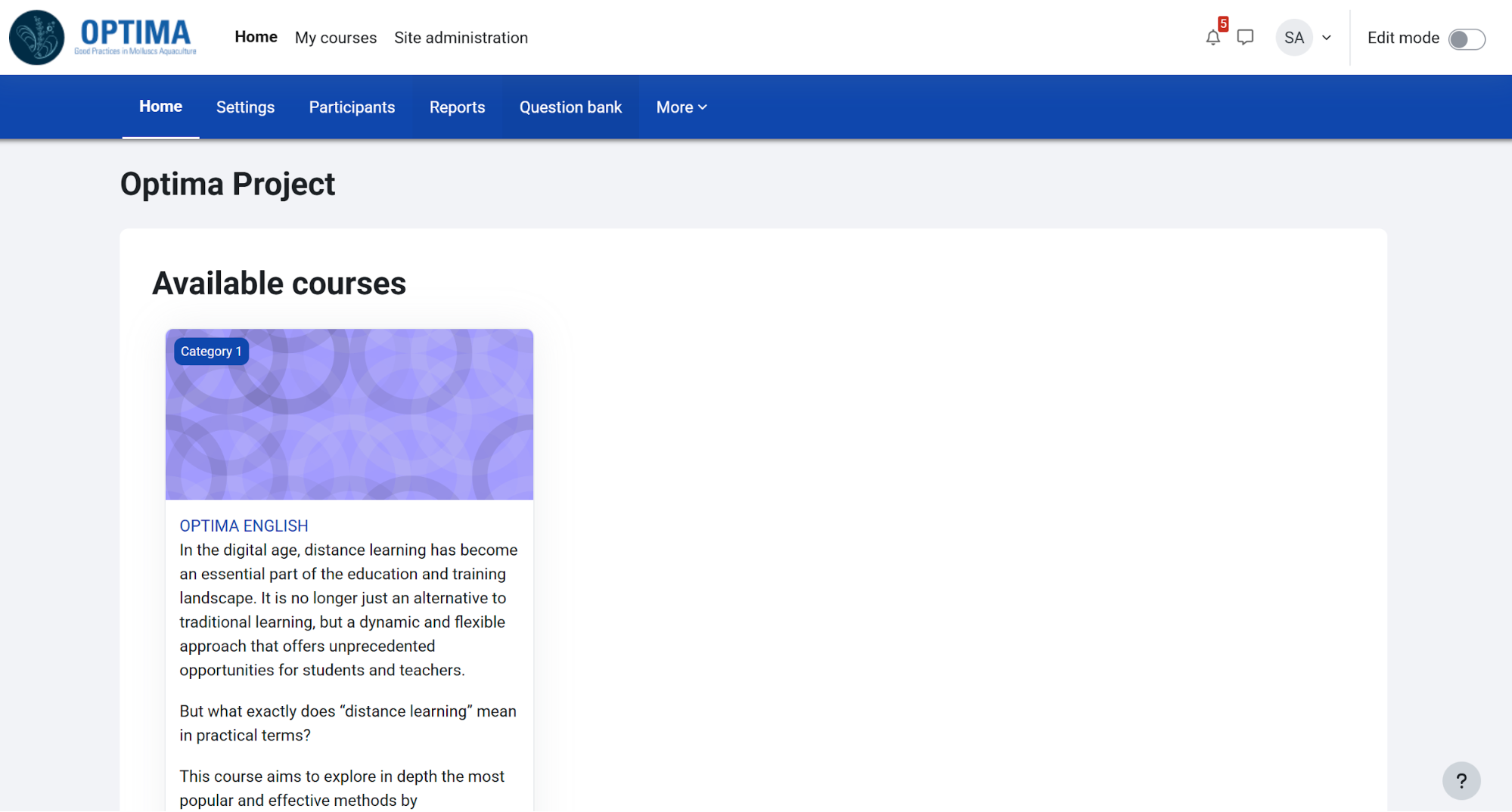
The dashboard displays all courses you are enrolled in, recent activity, and navigation menus.
Course Structure – Course Categories and Modules
In the platform the courses are organised into categories and modules. Each module is preceded by a small description of the topics covered, the objectives and the learning outcomes.
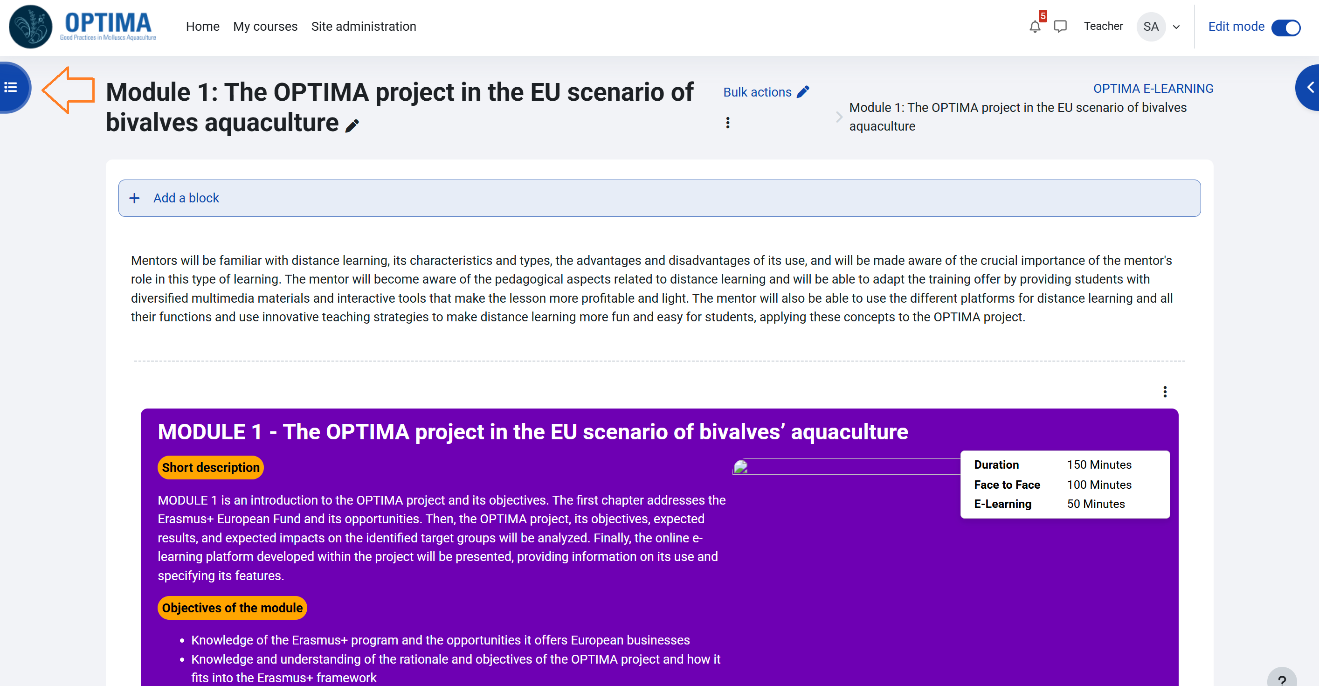
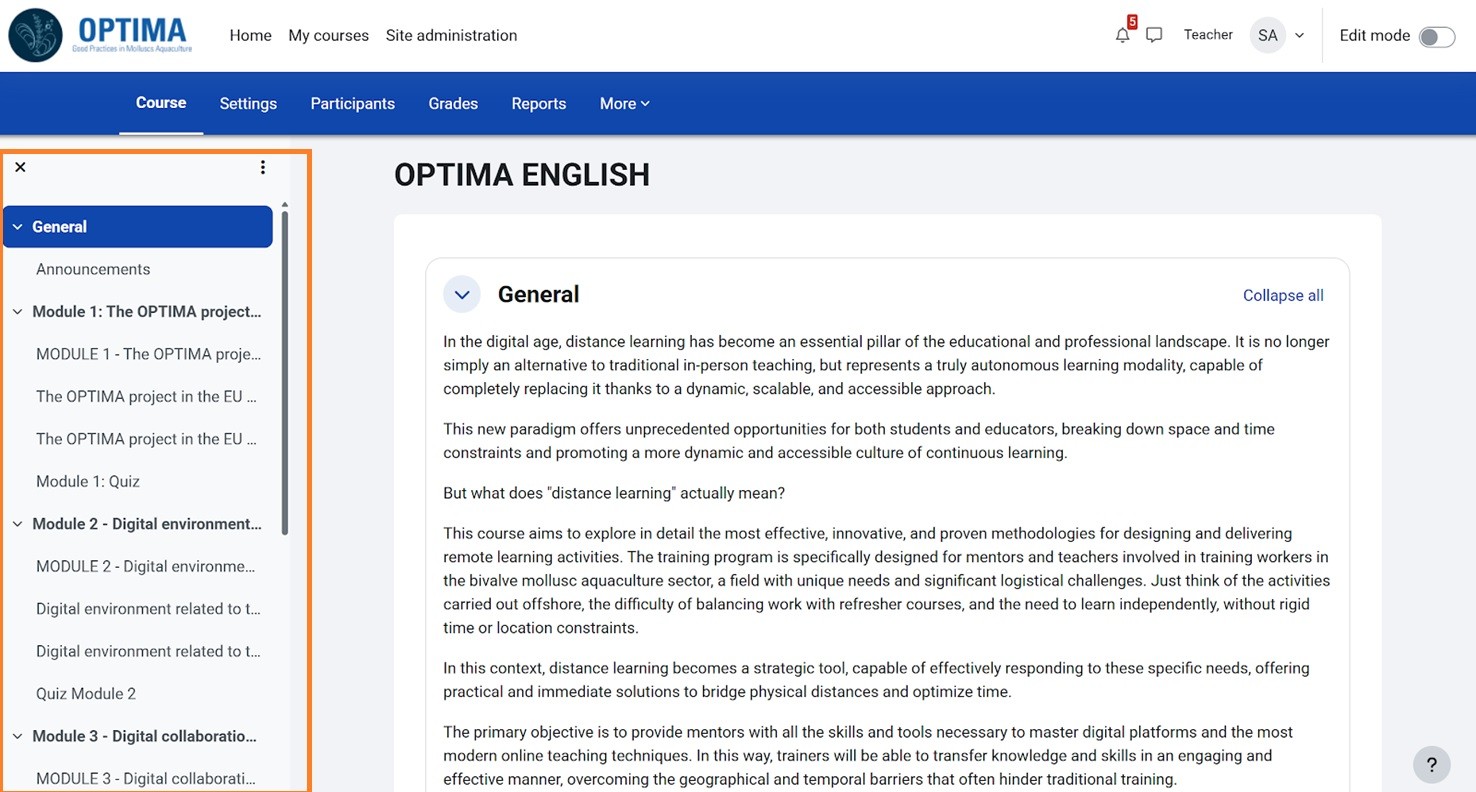
Learners can find all the modules in the menu that appear on the left of the webpage by clicking on the button in the upper part of the webpage (on the left too).
Turning Editing On/Off
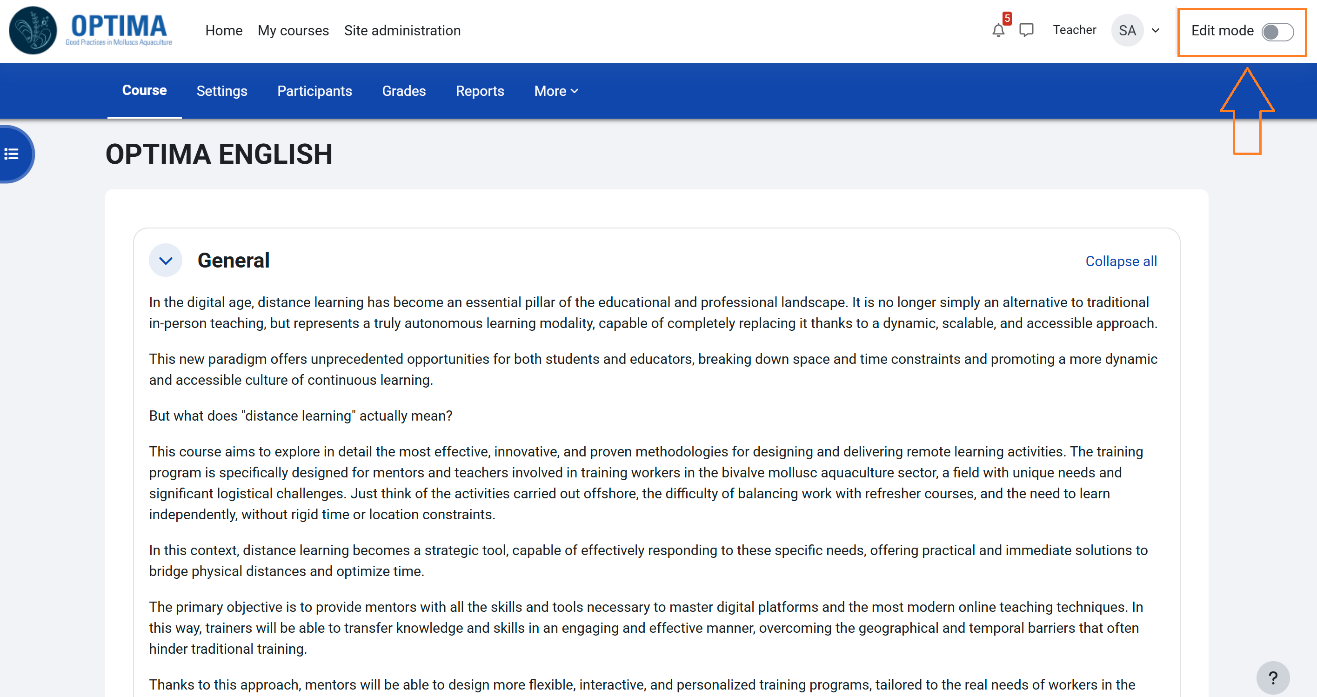
To manage a course, turn editing “on” by using the button at the top right of the course webpage.
Adding Resources
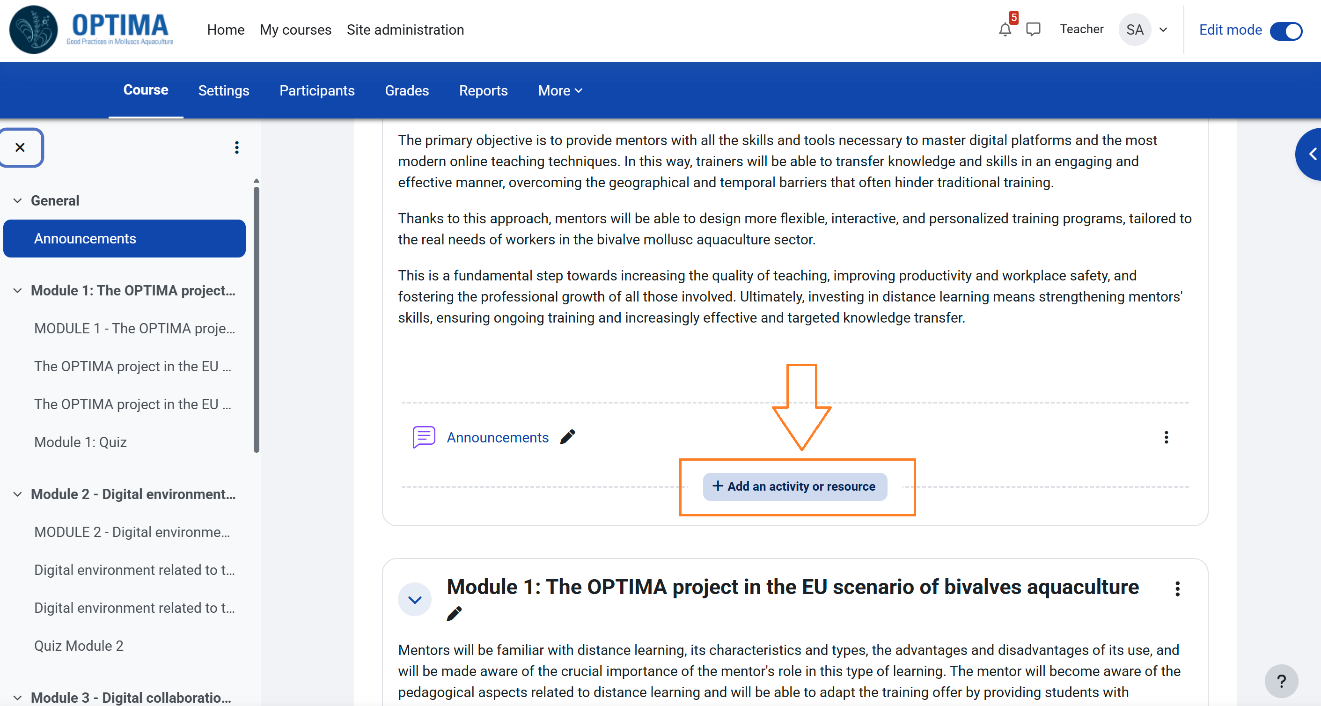
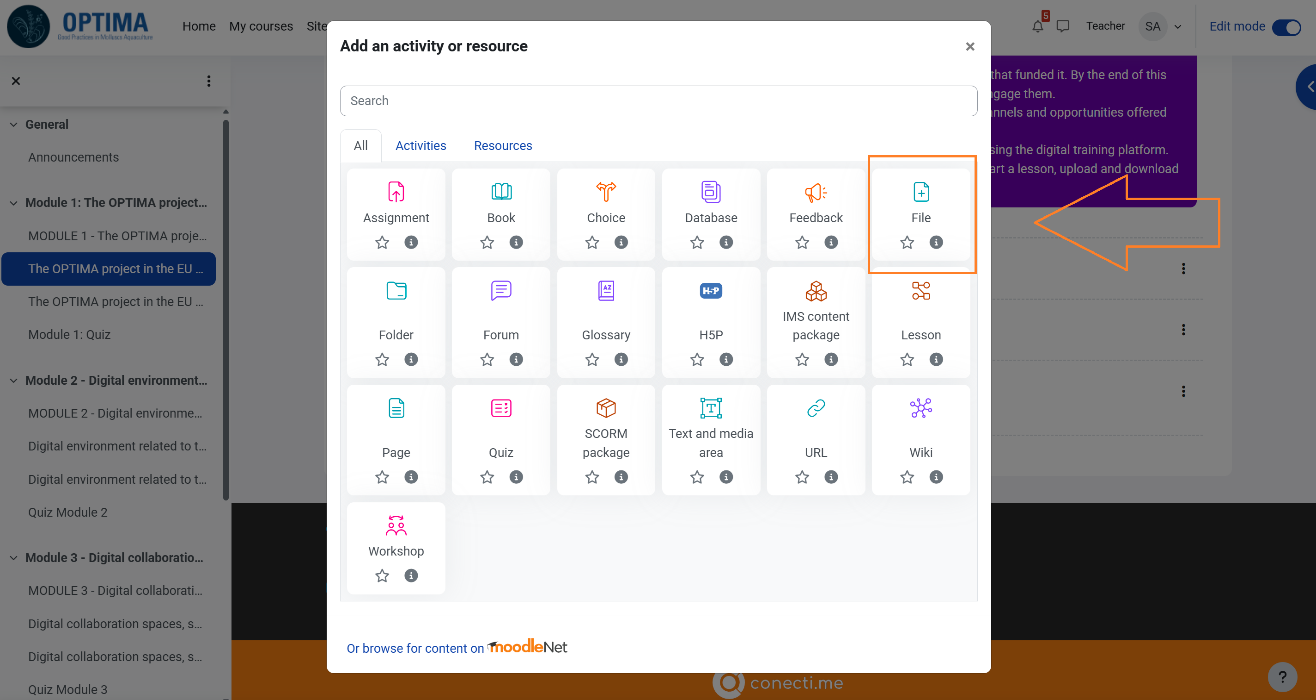
Resources such as files, URLs, books, tags, etc. can be added to the platform. Mentors can also upload documents such as lecture slides, manuals, or external links.
Accessing Course Materials
Teachers can access resources such as PDFs or videos.
Assessment & Feedback – Designing Quizzes
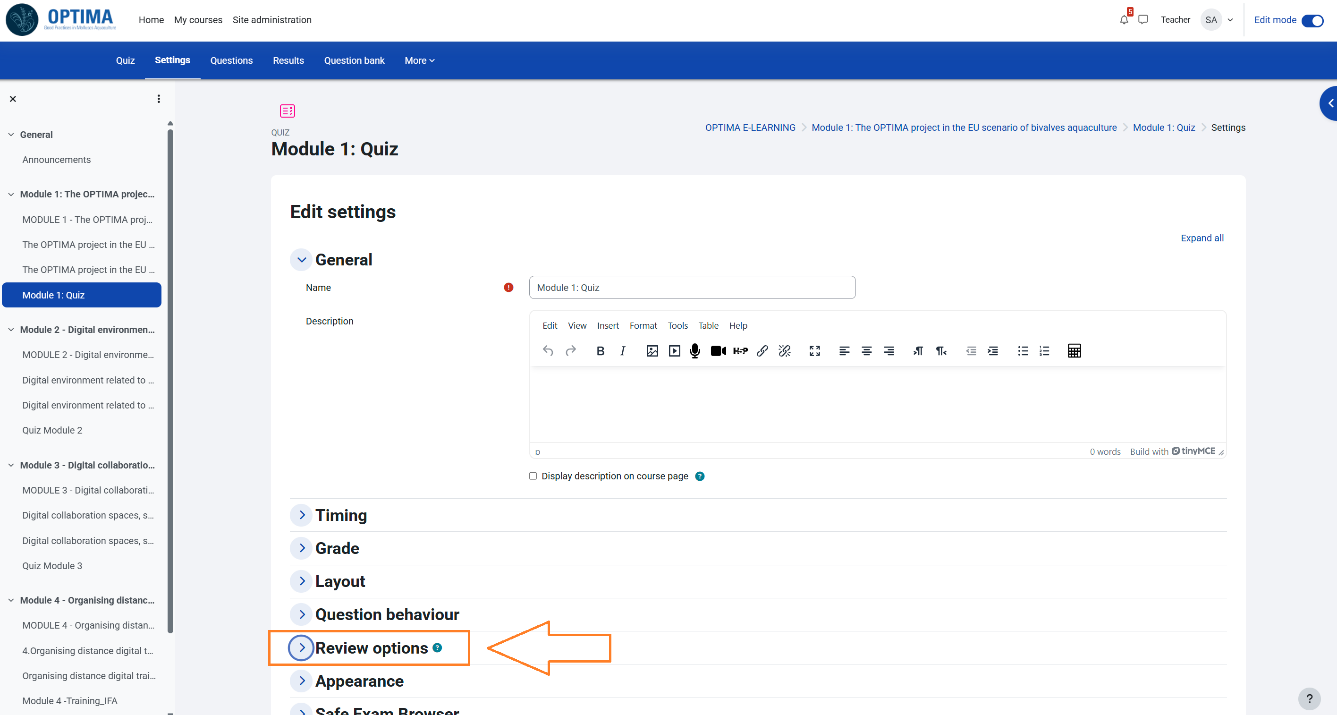
Quizzes are designed to evaluate students' knowledge and comprehension. Educators may develop multiple-choice, short answer, or essay-style questions and have the flexibility to modify the allotted time for completion.
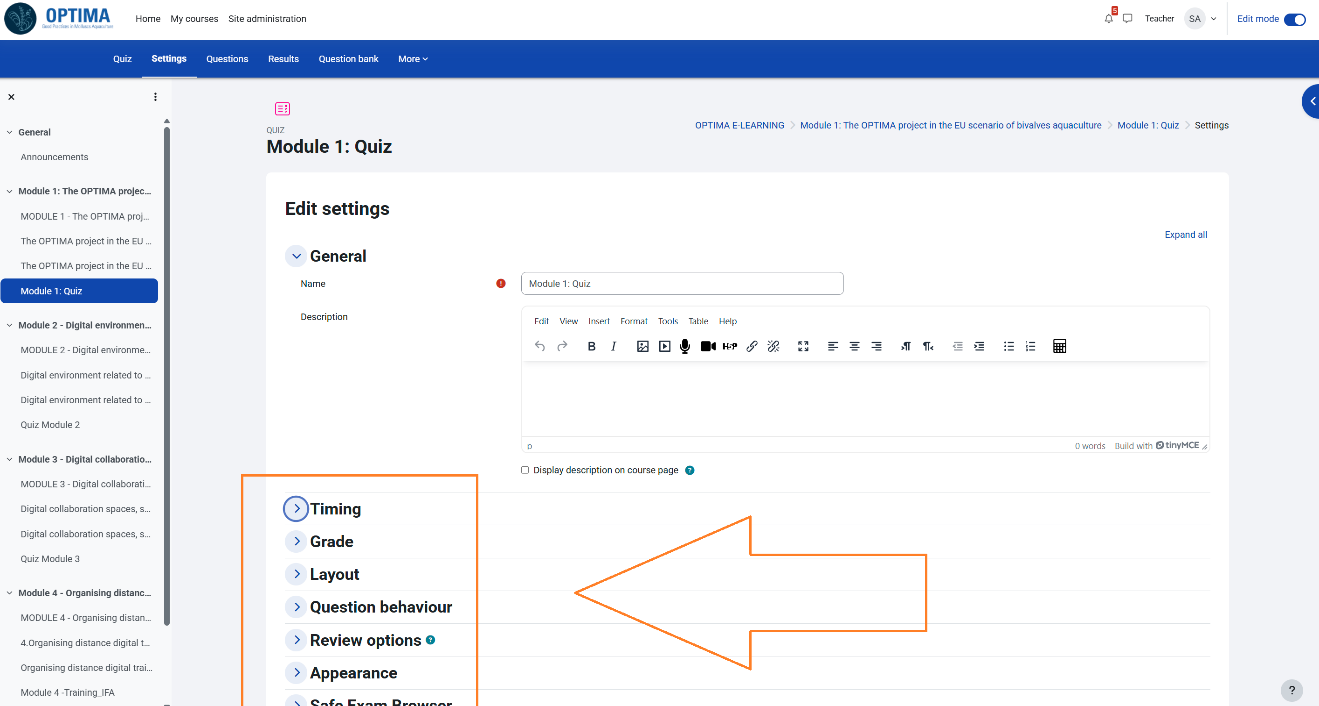
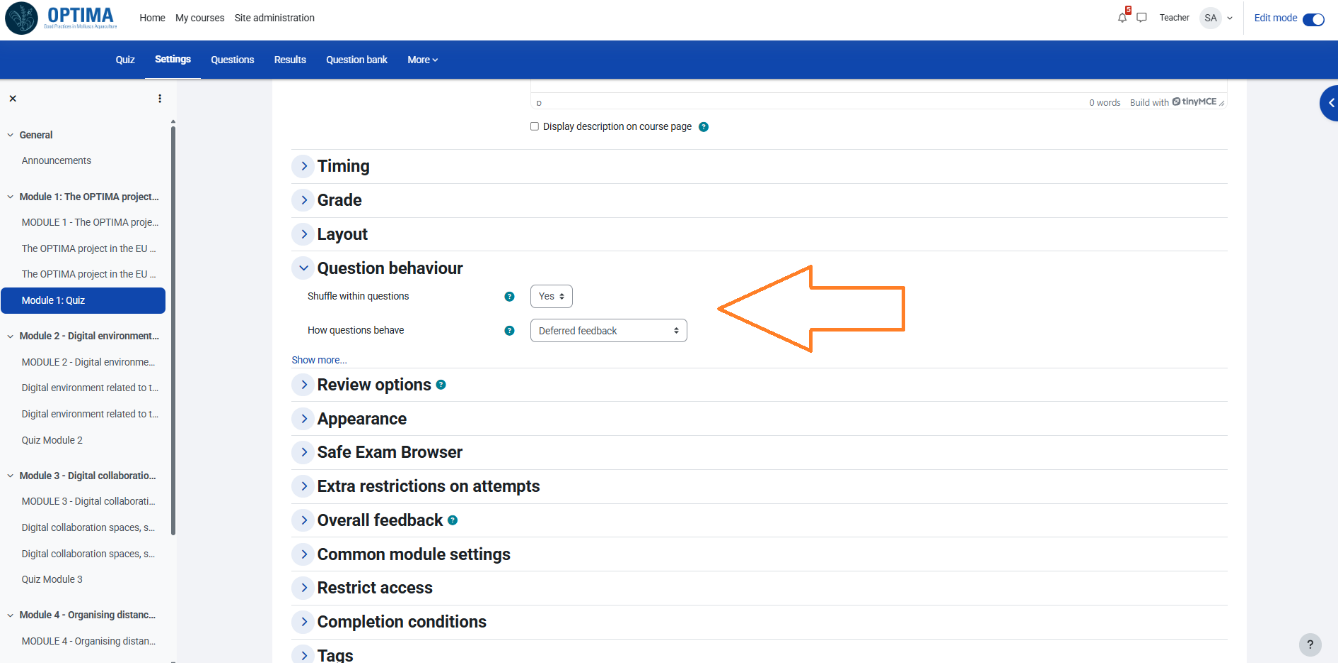
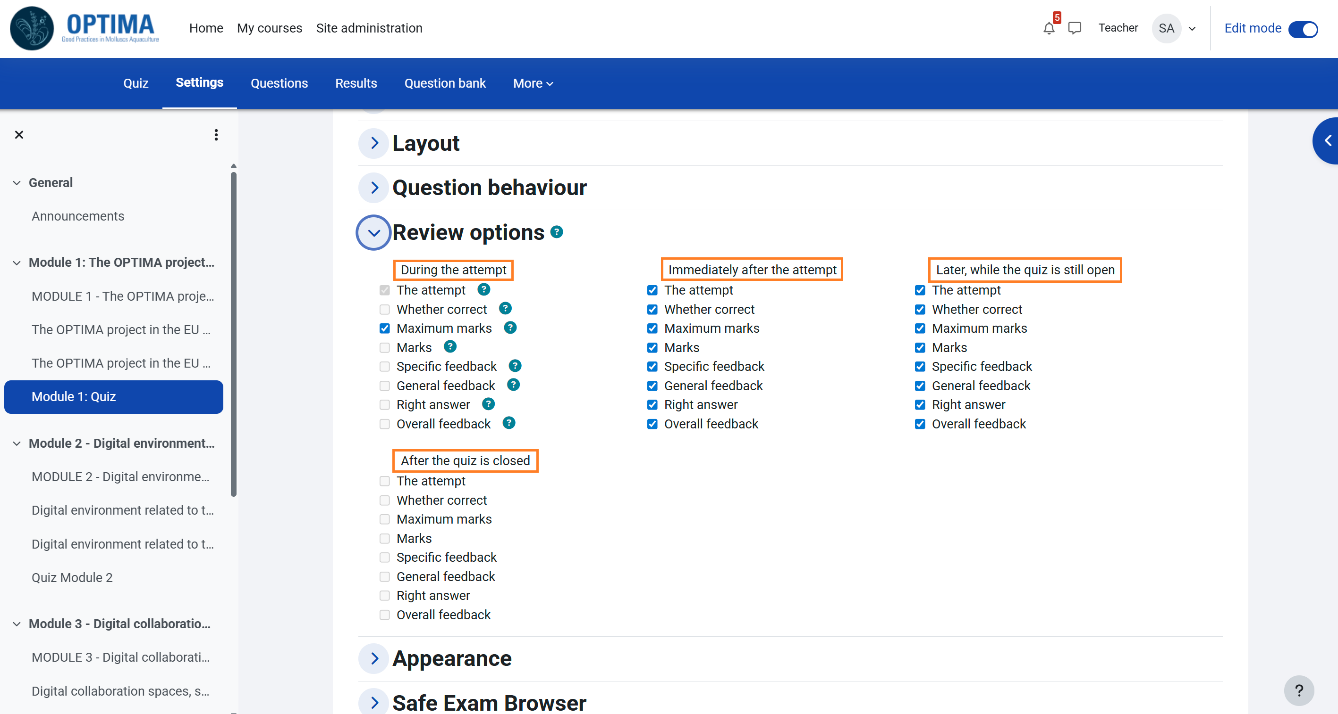
Educators can also configure question behaviour and manage key aspects of quiz review, including participant attempts.
Monitoring Student Progress – Activity Completion
Moodle has many helpful features that make it easier for teachers to keep an eye on how students are performing throughout a course. It shows whether or not each student has completed things like assignments, quizzes, forum posts, or other activities, which helps teachers get a better sense of who’s staying on track and who might need extra support.